
Project Overview
The Project Overview dashboard is the central hub for managing your infrastructure project. It provides quick access to project actions, environment management, and resource configuration through a unified interface.
The dashboard displays key metrics, provides shortcuts to common workflows, and offers downloadable access to Kubernetes credentials and VPN profiles (if applicable for any environments) etc.
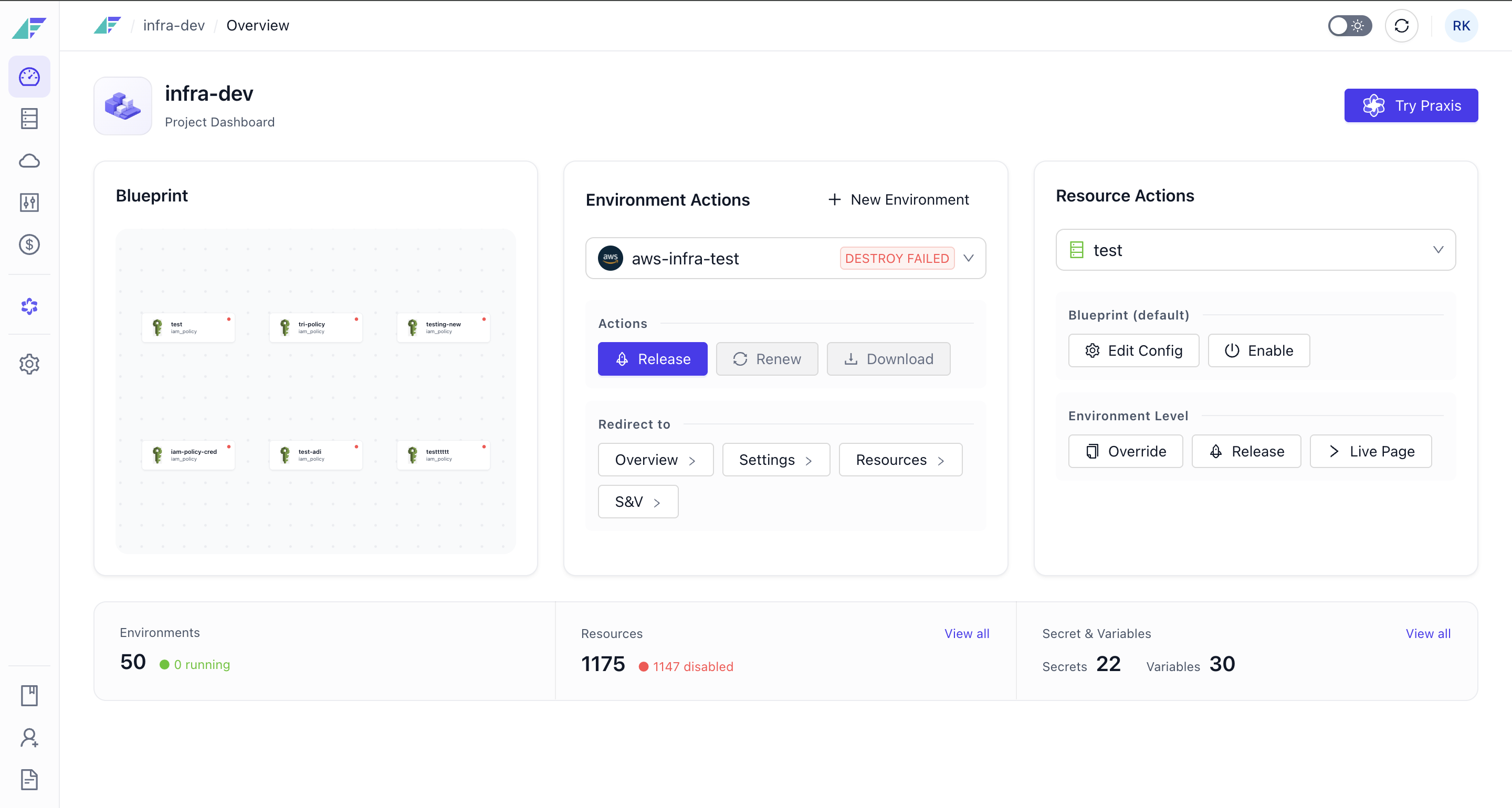
Dashboard Components
The Project Overview dashboard consists of several interactive cards and action panels:
Blueprint Resources Card
Shows a part of visual graph of your blueprint. Click the preview to navigate to the full Blueprint Designer where you can view your complete infrastructure, add resources, configure dependencies, and edit your infrastructure topology.
Environment Actions Card
Use the dropdown to select an environment, then perform quick actions like Downloading Kubernetes Credentials, Downloading VPN Profiles, Launch, stop, release environments or navigate to environment specific pages.
Resource Actions Card
Use the dropdown to select a resource, then perform quick actions:
- Release: Deploy the selected resource
- Configure: Edit resource settings or artifacts
- Override: Set environment-specific values for the resource
- Edit Variables: Manage environment variables and secrets for the resource
- or navigate to resource specific pages.
Stat Cards
Three cards display aggregate project metrics:
- Total Environments: Shows count of all environments with running count in parentheses
- Total Resources: Shows count of all blueprint resources with disabled count in parentheses
- Secrets & Variables: Shows total count split by secrets vs. variables
Permissions
| Permission | Description |
|---|---|
| STACK_READ | View project dashboard and details |
| STACK_WRITE | Modify project settings and configurations |
| K8S_CREDENTIALS | Download or renew Kubernetes credentials |
| DEPLOYMENT_WRITE | Trigger releases or start/stop environments |
| CLUSTER_WRITE | Create new environments |
Updated 22 days ago